
Feature details
UNU keeps things simple on purpose: one library, one big-picture interface, and endless ways to make it yours. Here's what that means for you.
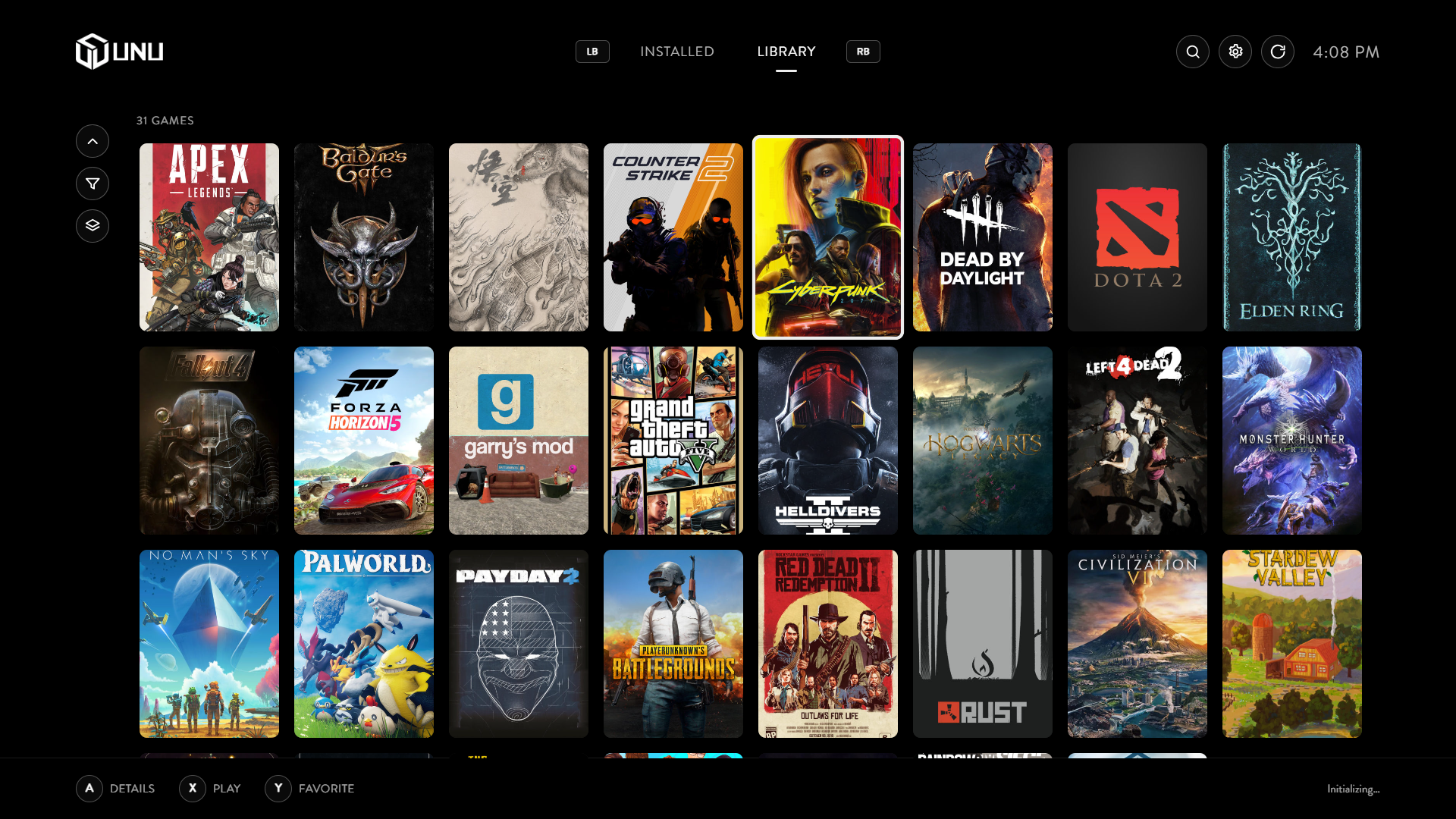
One library, many providers
Library plugins describe games through one common contract. When multiple providers identify the same game, UNU can collapse those records into one entry instead of showing it twice.
- Obvious matches merge instantly; anything uncertain asks you first instead of guessing.
- When a source can identify your game precisely, UNU uses that instead of searching by name.
- Merged the wrong two games? Split them back apart any time.
Controller-native navigation
Every action is reachable with a gamepad alone. Input is normalized once, centrally, so the interface never has to guess what a controller meant.
- Stick drift, repeat presses, and diagonal moves are all handled for you, so it just feels right.
- Moving the stick jumps to the nearest sensible option, tuned by each theme where it matters most.
- One unmistakable focus state (grow plus a solid ring) so it's always obvious what's selected, from a couch.
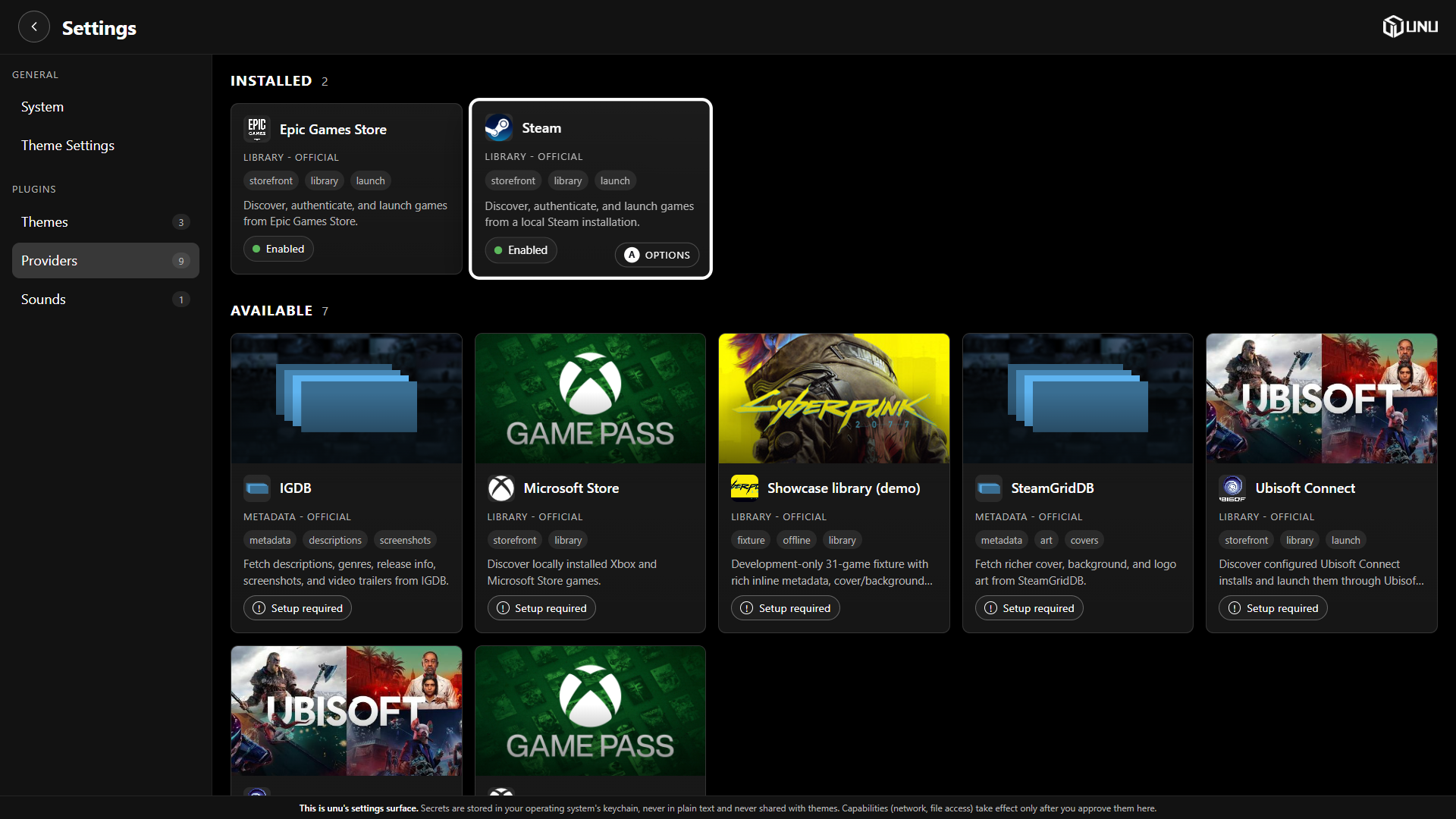
Install themes and plugins without leaving UNU
UNU includes a plugin catalog in Settings. Browse available themes, library providers, metadata providers, and sound packs, then review and install them directly from the launcher.
- Install or switch extensions in a few clicks without reinstalling UNU.
- Requested permissions and compatibility are shown before a provider is enabled.
- Planned: add catalogs from other publishers and let UNU surface new packages and updates from them automatically.
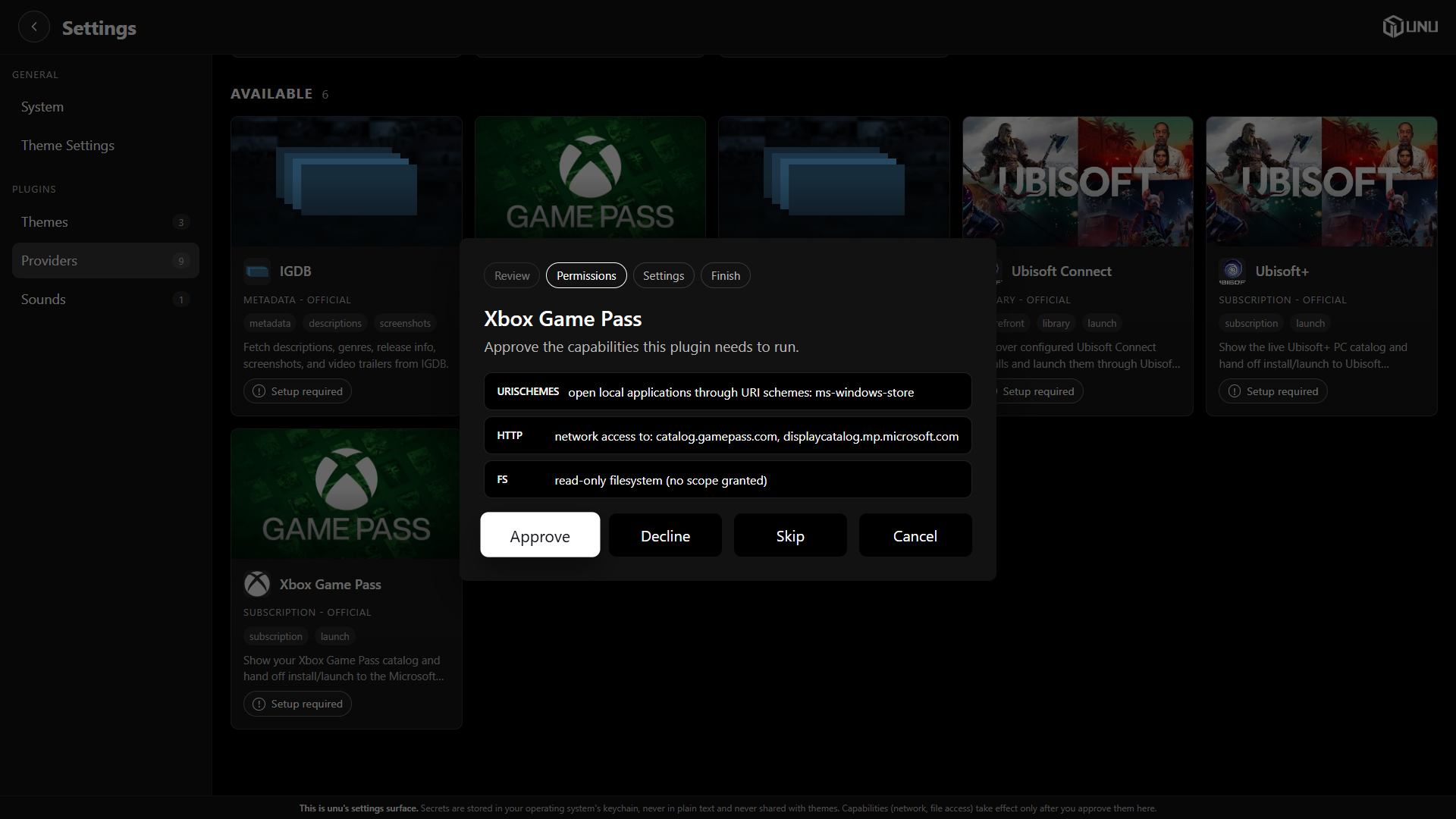
Plugins can't go rogue
Themes and provider plugins can come from anyone, so neither one is trusted automatically.
- A new provider starts with zero access; you approve exactly what it is allowed to touch.
- Themes can only change what's on screen, they can't reach your files, network, or other running programs.
- Passwords and API keys are stored securely by Windows itself, kept out of logs and debug output.
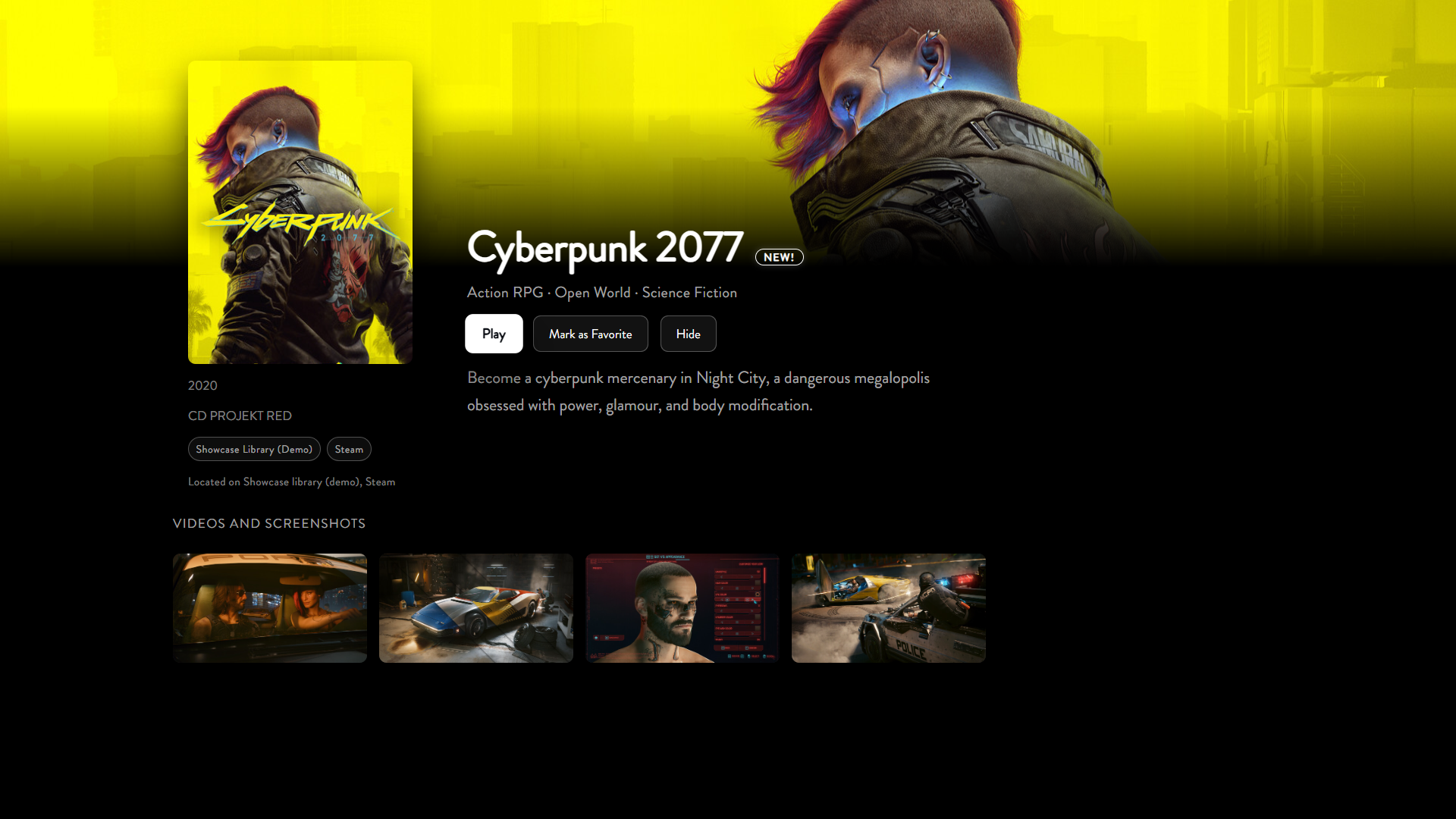
The best info from every source
A cover from SteamGridDB and a description from Steam combine automatically into one clean entry, field by field.
- UNU judges how sure a match is instead of just taking a source's word for it.
- Prefer a different cover or description? Pin it and it sticks, with the alternatives one click away.
- Every metadata source is treated through the same merge path, with no provider-specific branch.
Small app footprint
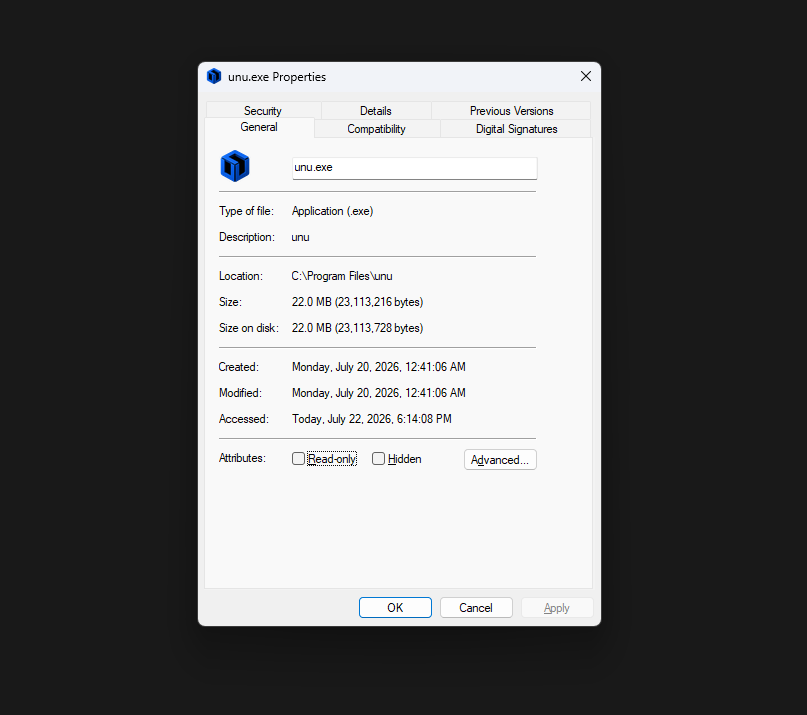
UNU is built for a small footprint and a fast cold start, on a machine that's also trying to run games.
- The whole app is around 22 MB, smaller than most game screenshots.
- Scrolling stays smooth even through a library of thousands of games, on a TV.
- Loading art and details in the background never causes stutter while you're browsing.
Set up and control the PC from your phone
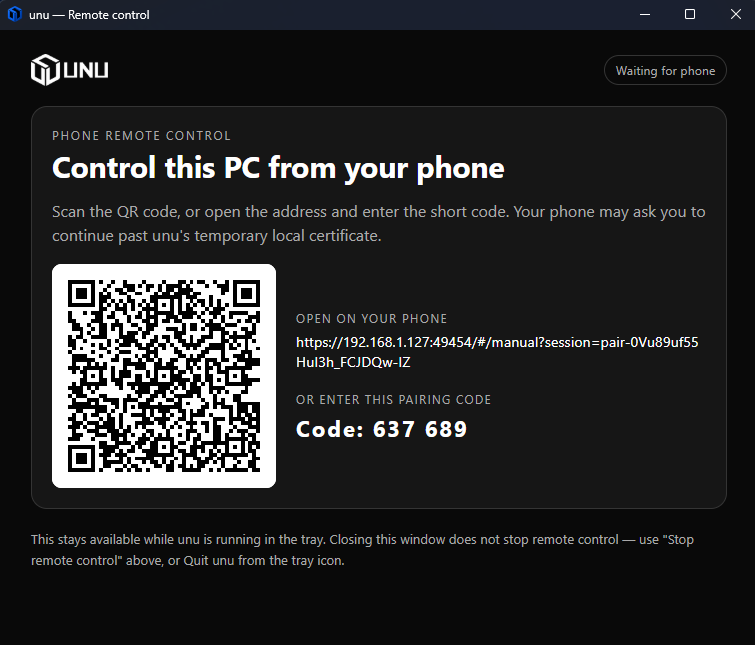
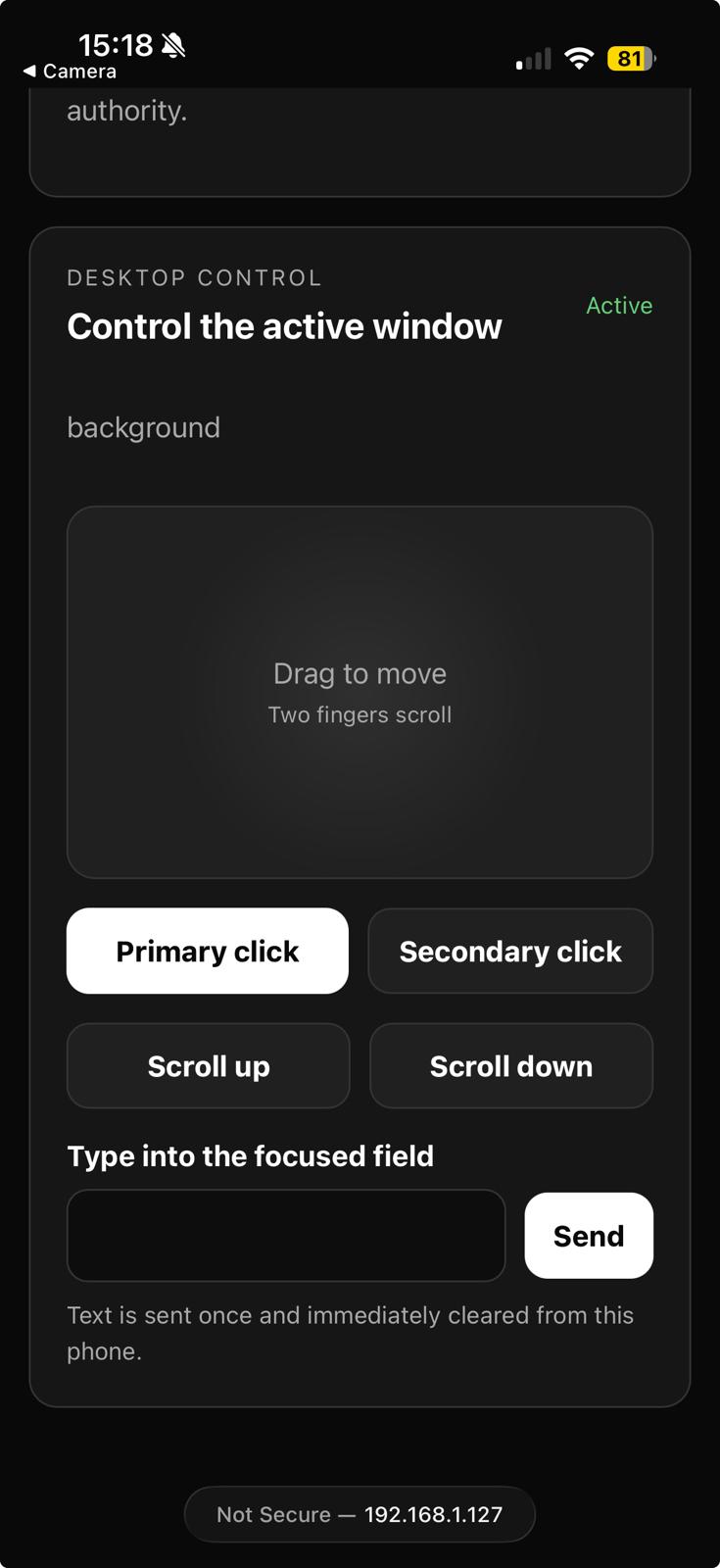
Some setup steps are miserable with a thumbstick: pasting an API key, typing a password, or completing a provider sign-in. Scan a QR code once and hand that part to your phone. When UNU is running in the tray, the same local connection can provide a trackpad, clicks, scrolling, and text input.
- The phone renders the same onboarding and plugin manager as the TV, from one core-owned session, not a second app to maintain.
- Long values like a SteamGridDB key go straight to the OS keychain from the phone keyboard. They're never echoed back to either screen.
- Sign-in still happens in a real browser window on the PC. The phone only supplies trackpad and keyboard input while it's open.
- Everything stays on your local network: no account, no relay, no cloud round trip.
Pointer Mode turns the controller into a mouse
Storefront installers, update dialogs, and sign-in windows are ordinary desktop software that expects a mouse. Pointer Mode turns your controller into one, on demand.
- Left stick moves the cursor, triggers click, and the d-pad sends arrow keys, mapped once centrally rather than per integration.
- Activates automatically around UNU-started sign-in and install windows, or on demand with a controller chord if a launcher appears unannounced.
- Clear feedback, like rumble and a cursor change, tells you it's live even when the window covering UNU isn't UNU's own.
- Exits itself when the interaction ends, the game takes over, or you ask it to. It never lingers into gameplay by accident.
Next steps
Browse official themes, providers, and interaction sounds in Plugins, or start reading the plugin docs to build your own.